
Overview #
This guide shows how to setup a new Entrypoint RADIUSaaS context in the Netgraph Admin-Portal.
Getting started #
Navigate to your Netgraph Admin-Portal and log in. Folow the guide below to create a new Entrypoint RADIUSaaS context.
Switch to the Entrypoint – RADIUSaaS in the Services menu. #

In the left, find “CONTEXT” and click “Create”. Select “EntryPoint 2.0 (Dot1x PEAP, Entra)” from the RADIUSaaS Context Type and Name your Network. Click “Create Context”. #
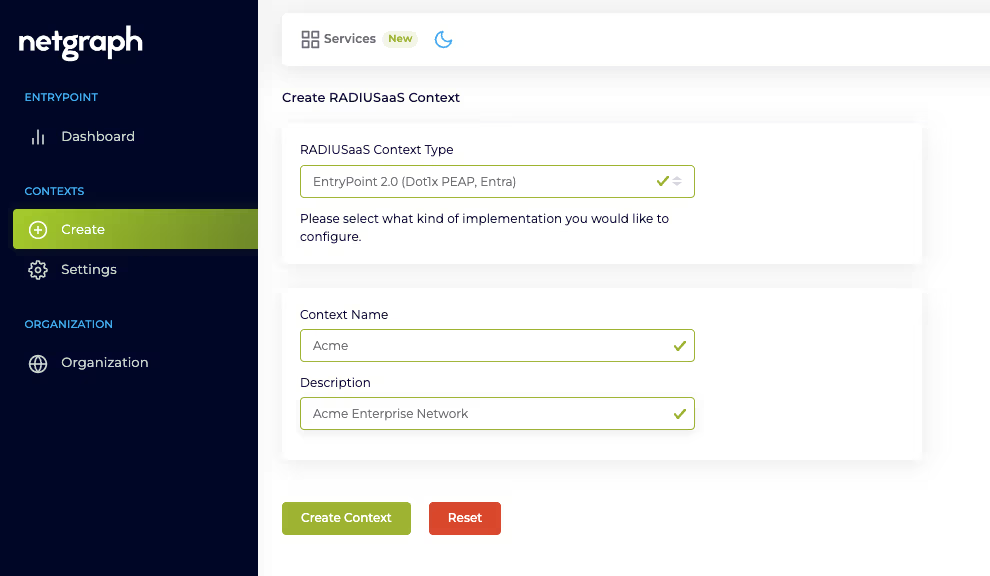
Next step is the “Context Configuration “. #
- Client Authentication Methods:
- Enable “EAP-TLS” and select “User Certificate with Backend Identity Store” Don’t forget to hit the “Update Authentication Methods”-button

- Enable “EAP-TLS” and select “User Certificate with Backend Identity Store” Don’t forget to hit the “Update Authentication Methods”-button
- Backend Identity Store:
- Select “Microsoft Entra ID” from the “Identity Store”

Configure the API credentials to your Entra API.
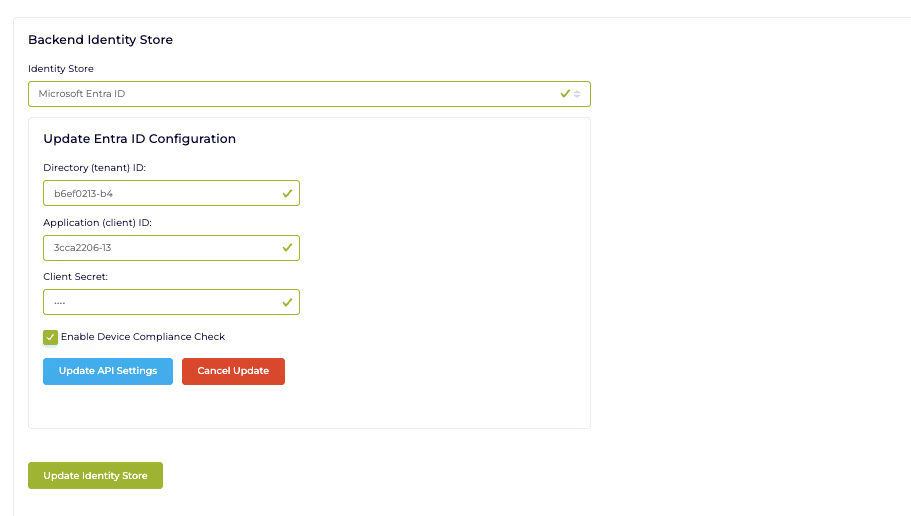
- Fill in the blanks with the credentials generated in the “Microsoft Graph API credentials and permissions” guide
- Click the “Update Identity Store”-button.
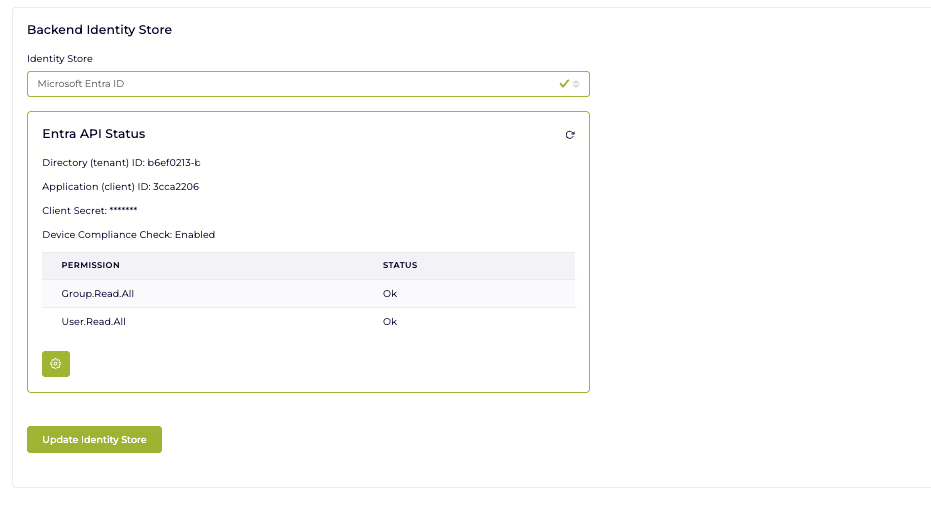
- Done
- Select “Microsoft Entra ID” from the “Identity Store”