
Purpose #
Managed Endpoint Custom Attributes simplify endpoint administration by allowing attribute values to be centrally defined and enforced at the group level.
This ensures consistent configurations for Security Group Tags (SGT), VLAN IDs, ACLs, and other attributes across all endpoints in a group.
The feature also includes periodic verification to automatically correct any discrepancies.
1. Prerequisites #
-
Custom attributes must be configured in Cisco ISE under Administration → Identity Management → Endpoint Custom Attributes.
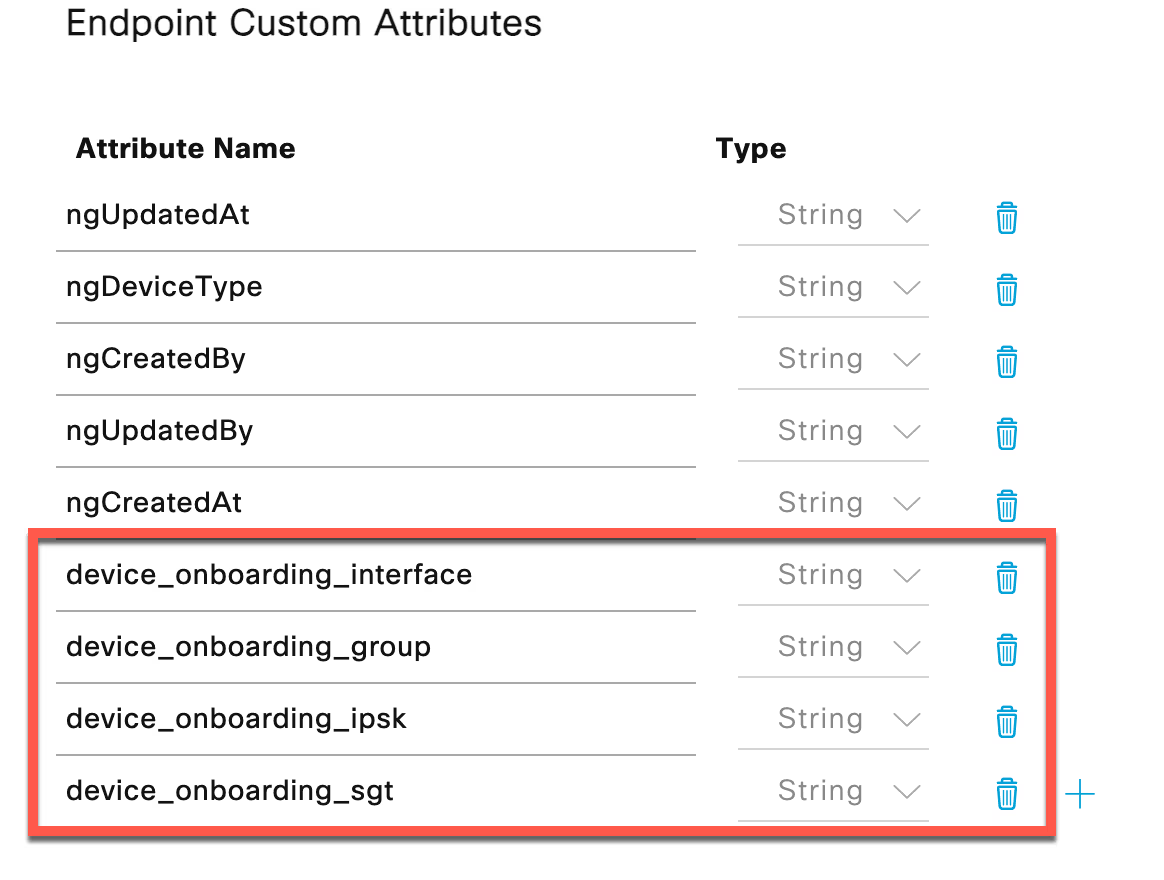
Note: The Endpoint Attributes above are just an example and can be any custom attributes.
-
API connectivity between Netgraph ISE Device Management and Cisco ISE must be established.
-
Admin access to the Netgraph ISE Device Management portal is required.
2. Define Managed Attributes #
In this section, you define which Custom Attributes can be managed for the Endpoint Groups for a specific Context.
Only the Custom Attributes added on the Context-level will be available for use when managing endpoints in the underlying groups. This allows you to control and limit which attributes your administrators can apply on the group level.
Once a Custom Attribute is made available, it can then be enabled at the group level. If a group is configured to manage a certain attribute, that attribute will automatically be applied to all endpoints within that group.
- In Netgraph Connectivity Platform – Admin Portal, select “Services -> ISE Device Management”
- Select your Context and then “Context Configuration->Managed Attributes”
- Enter the custom attributes from Cisco ISE that should be available for group management.

- Save the configuration.
3. Configure Group Attribute Values #
- Navigate to the desired Endpoint Identity Group.
- Add the desired attributes you would like to manage for this group.

- Assign values for the available managed attributes (e.g., SGT, VLAN ID, ACL).
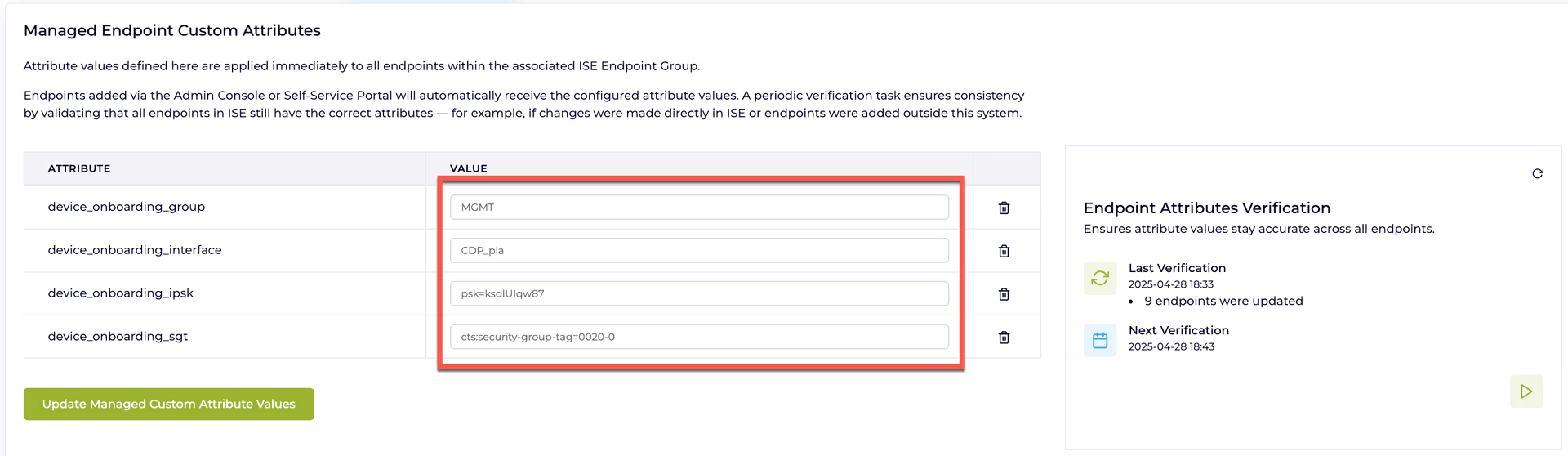
- Apply Settings by clicking “Update Managed Custom Attribute Values”.

The first time you configure Managed Attributes, all devices will be updated.
4. Adding new endpoints #
-
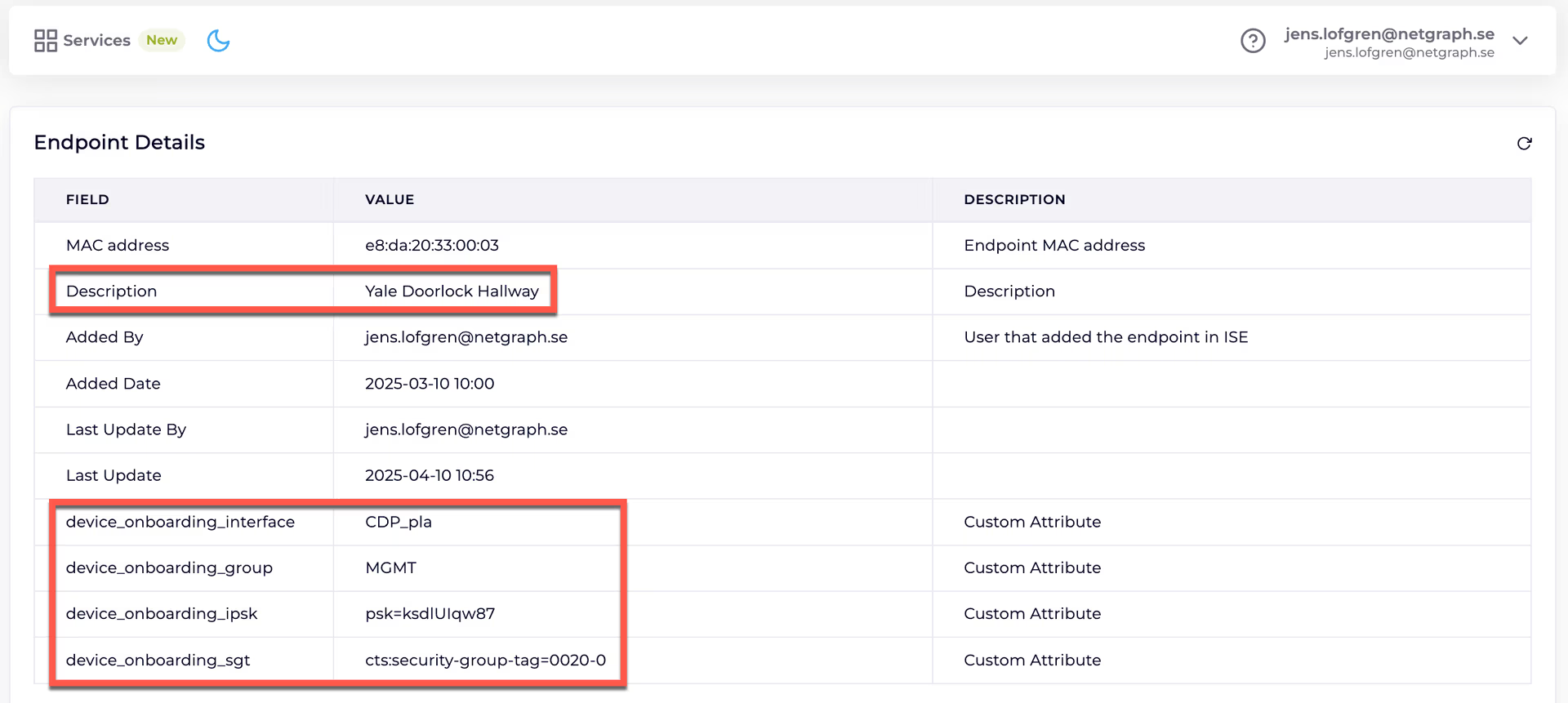
When new Endpoints are added to the Endpoint Identity Group, all Managed Attributes will be automatically applied to that Endpoint.
5. Attribute Verification #
-
The system periodically verifies that each endpoint’s attributes match the group configuration.
-
If discrepancies are detected, attributes are automatically updated to ensure compliance.
-
Verification occurs during scheduled intervals.
Summary #
Managed Endpoint Custom Attributes reduce manual administration, ensure consistent endpoint configurations, and improve operational security by maintaining correct attribute assignments over time.