
Simplify Cisco ISE Device Management with
Netgraph Connectivity Platform™

Managing endpoints in Cisco ISE has never been easier. With Netgraph Connectivity Platform™, administrators can integrate seamlessly with Cisco ISE’s Endpoint groups, enabling Self-Service access for users tied directly to specific groups.

Challenges
with Device
Management

Managing devices without 802.1X support requires manually collecting MAC addresses and assigning them to groups in systems like Cisco ISE. This can become an overwhelming task, especially for networks with hundreds or thousands of such devices.

Time-Consuming Processes The complexity of managing non-802.1X devices in large networks.

Providing helpdesk staff access to ISE often raises security concerns. Granting full access can lead to potential risks, while limiting permissions to specific groups demands precise control, adding to administrative complexity.

Permission Management Ensuring secure, limited access for helpdesk staff without compromising control.

These challenges place a significant burden on IT teams, who must balance efficient device management with maintaining security and control. This underscores the need for solutions that streamline processes and reduce manual effort.

Increased IT Workload Balancing efficiency, security, and control in device management.

Key Features of Netgraph & Cisco ISE API Integration

Managing endpoints in Cisco ISE has never been easier. With Netgraph Connectivity Platform™, administrators can integrate seamlessly with Cisco ISE’s Endpoint groups, enabling self-service access for users tied directly to specific groups.

MAC address management

Simplify the handling of non-802.1X devices by organizing their MAC addresses into specific groups. This reduces the complexity of onboarding large numbers of devices and ensures efficient management.

Role-Based Access Control

Define granular permissions for users based on roles, enabling precise control over who can manage endpoints, add or remove users, and configure group settings. This ensures secure and efficient administration.

Bulk Import of Endpoints

Onboard multiple devices at once using the bulk import feature, streamlining the addition of endpoints. This significantly reduces manual effort and improves operational efficiency.

iPSK Management

Easily update and manage Wi-Fi passphrases for iPSK networks. Authorized users can change group-specific keys directly through the self-service portal, ensuring flexible and secure key management.

Localize Mac

Gain complete visibility into your network by tracking device locations and their connection status. Easily monitor whether devices are online, offline, or where they are connected.

Self-Service Portal

Empower users with the ability to manage their own endpoints, including adding or removing devices, editing descriptions, and viewing connection details. Add or remove local self-service users within a group and streamline user onboarding with email invitations via a simple workflow.

SAML Integration

Integrate with SAML for secure and seamless access to both the admin portal and self-service portal. This enables single sign-on functionality, improving the user experience and security.

Managed Endpoint Custom Attributes

Take control of your network with centrally managed settings for device groups. Ensure consistent SGTs, VLAN IDs, ACLs, and more—automatically verified and corrected to keep your configurations secure and aligned.

Configure the API integration with Cisco ISE, create contexts, map groups to Endpoint Groups, and assign access in just a few clicks.
Admins can name groups, set up user roles, and ensure smooth management of Endpoint groups.
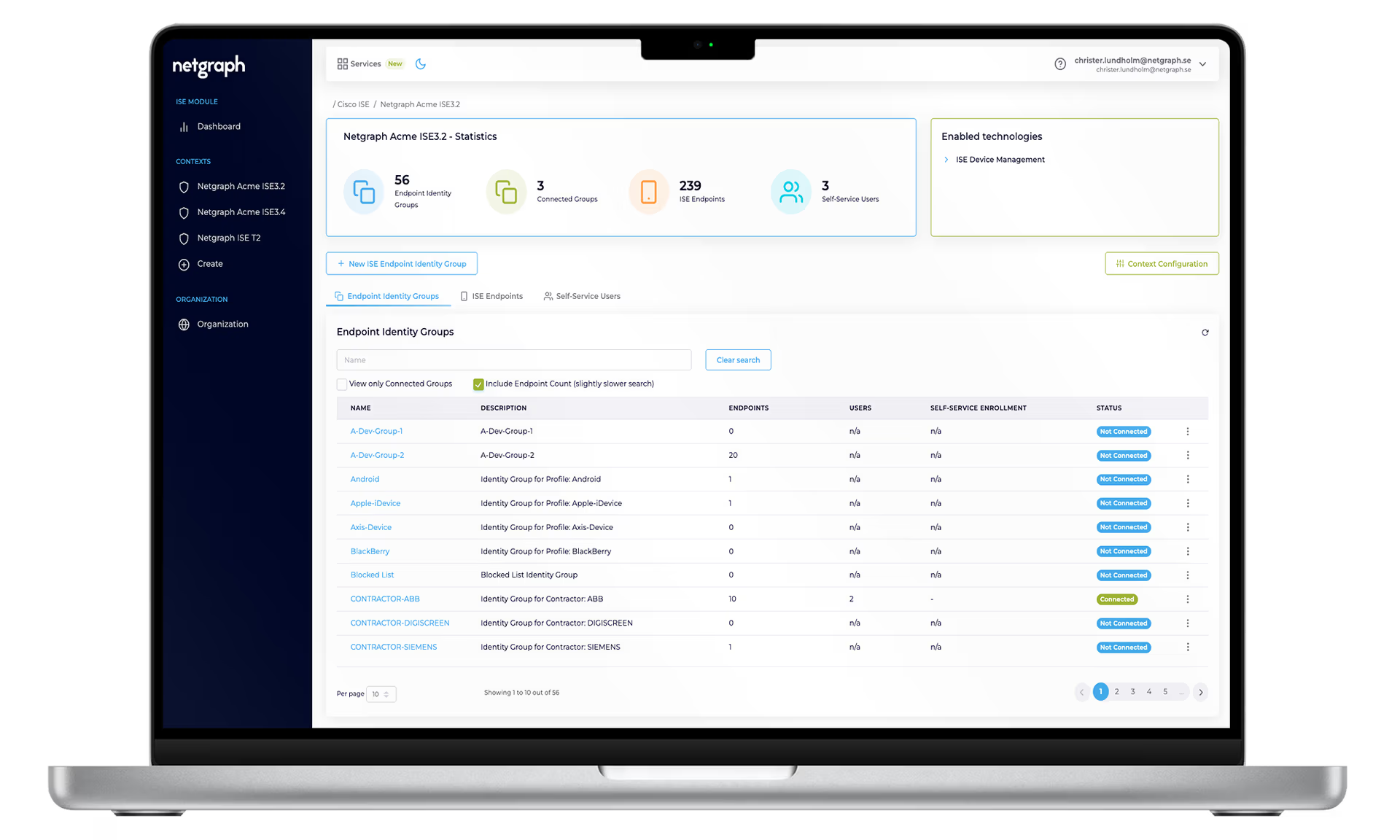
Centralized Administration Intuitive & Powerful Admin Portal

Empower users with the ability to manage their own endpoints, including adding or removing devices, editing descriptions, and viewing connection details. Add or remove local self-service users within a group and streamline user onboarding with email invitations via a simple workflow.

Self-Service Portal Deliver the sense of a personal, home-like network experience

Netgraph provides a robust solution for managing MAB & iPSK networks with wireless endpoints, seamlessly integrating with Cisco ISE via API. Our platform simplifies the management of endpoint groups, Wi-Fi passphrases, and user permissions while enabling advanced delegation features.

ISE Device Management Cisco Identity Service Engine (ISE) API-integration
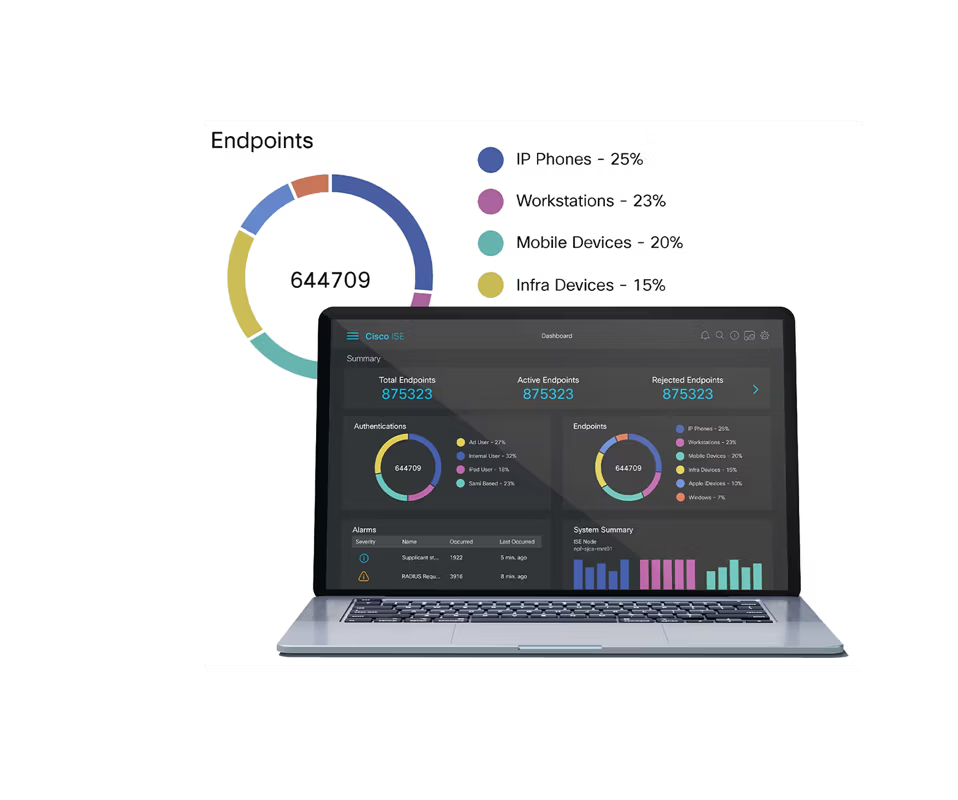
Cisco Identity Service Engine (ISE) API-integration

Complex network environments often bring drawbacks for both users and IT managers when it comes to reliability, security, and operations. 

ISE (Identity Services Engine) is a network access control solution by Cisco. It enforces security policies based on user and device identities.

Netgraph Connectivity Platform™ offers employees and 3rd party suppliers easy & secure device management and distributed administration via Self-Service web app and Cisco ISE-API integration.

Connectivity Challenges Solved – Simply and Securely

By combining our services – Sign In, EntryPoint - RADIUSaaS, Cisco Meraki WPN Manager for Wi-Fi Personal Network, and integration with Cisco ISE for device management and encrypted IoT Wi-Fi networks – we solve everything from simple login needs to advanced network challenges.

Sign In

A cloud-based guest network solution with seamless integration, secure access, and self-service options for employees and guests.

EntryPoint

RADIUS-as-a-Service with 802.1X, IoT iPSK, and MAB for secure enterprise authentication and device management.


Wi-Fi Personal Network

Integrate with your Cisco Meraki network and provide Co-Living & Co-Working with ease and Self-Service.


For every IT department who wants to make real difference

Let’s create a solution that works for your business — secure, flexible, and designed to grow with you.

Netgraph
Cookie Overview

What are cookies?

Cookies are small text files consisting of letters and numbers. These are sent from Netgraph Sverige AB or our partners' web servers and stored on your device (for example, computer or mobile). They can be stored in two different ways.

Session cookies are temporary cookies that disappear when you close your browser or app.
Persistent cookies are cookies that remain on your computer until you delete them or until they expire.

Different types of cookies

Both our website and others, such as Facebook or Google, may place cookies on your computer when you visit this website. Cookies from the website you are visiting are called first-party cookies and cookies from other websites are called third-party cookies.

Other files, similar to cookies, are web beacons and similar technologies. Web beacons are small transparent graphic images that may be contained in emails we send to you.

Why do we use cookies?

We use cookies to make your visit to our website as enjoyable as possible, and to improve it even more. However, we do not store IP numbers or similar personal data about you.

Functionality cookies improve your experience

We store cookies about the pages you have visited to make your experience on our website as smooth as possible. For example, we can prevent you from seeing a pop-up window more than once.

Analytics cookies help us to make our website better

We use cookies to collect aggregate analytical information about how you use the site, such as statistics on our most popular pages. With the information we get, we can improve our web and our offers.

Deleting cookies

Your browser or device usually allows you to set which cookies can be stored on your computer. For example, you can choose to block all cookies, only accept cookies from the website you are visiting or delete all cookies when you close your browser. Look under Settings.

Questions?

Do you have any questions about how we use cookies? You can always reach Netgraph Sverige AB's data protection officer at info@netgraph.se

This information was updated on August 26, 2024.