
Overview #
This guide shows how to setup communication between WiFi infrastructure (Network) and Netgraph EntryPoint RADIUSaaS (Netgraph).
- RADIUS Client Secret. The secret is used buy the RADIUS protocol in communication between the WiFi infrastructure (Network) and Netgraph EntryPoint RADIUSaaS (Netgraph).
- RADIUS Server Certificate. When endpoint devices establish a TLS connection with the RADIUS server during network authentication, the RADIUS server must present a certificate to the client, known as the RADIUS Server Certificate. You can bring your own certificate for this or we can provide you with one. This guide shows how to setup te RADIUS Service — Server Certificate in a Netgraph Entrypoint Entra ID context.
- RadSec. RadSec is a secure variant of the RADIUS protocol that uses TLS (Transport Layer Security) to encrypt communication between RADIUS clients and servers, ensuring data confidentiality and integrity. It enhances security by protecting against common RADIUS vulnerabilities, such as eavesdropping and man-in-the-middle attacks. This guide shows how to set up RadSec between the WiFi-infrastructure (Network) and Netgraph Radius (Netgraph).
Getting started #
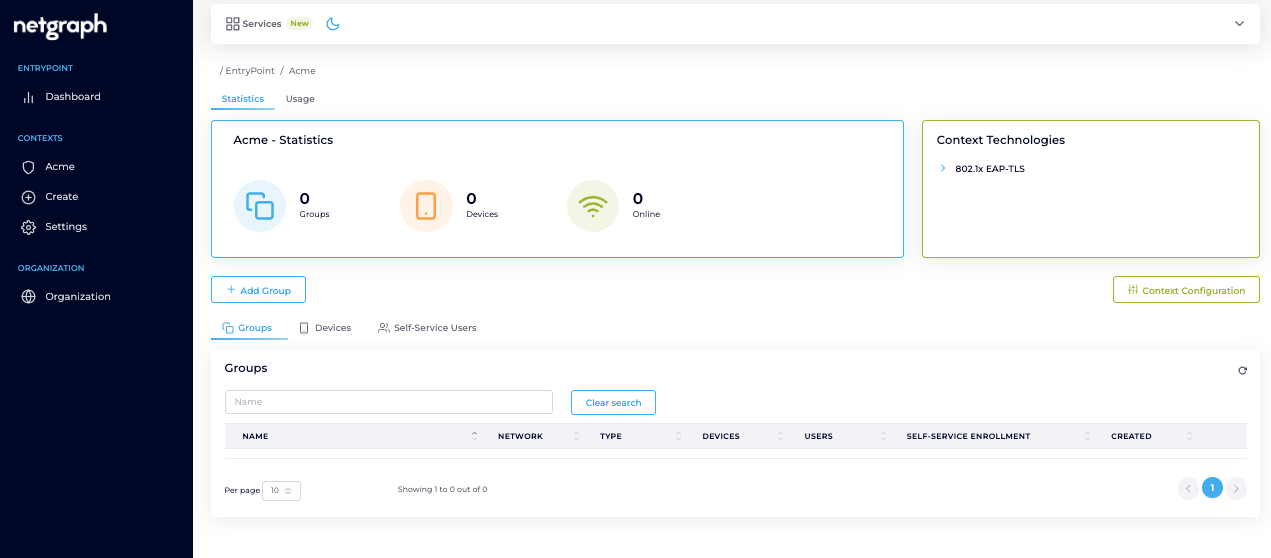
Navigate to your Netgraph Admin-Portal and log in. Locate you context created in previous step and click the “Context configuration” button on the right.
Click on “Network Integration”. The “Basic Settings” is providing information needed for setting up the Network Infrastructure (Network). RADIUS Hostname, Authentication Port, Accounting Port and RadSec Port. Save this for later.
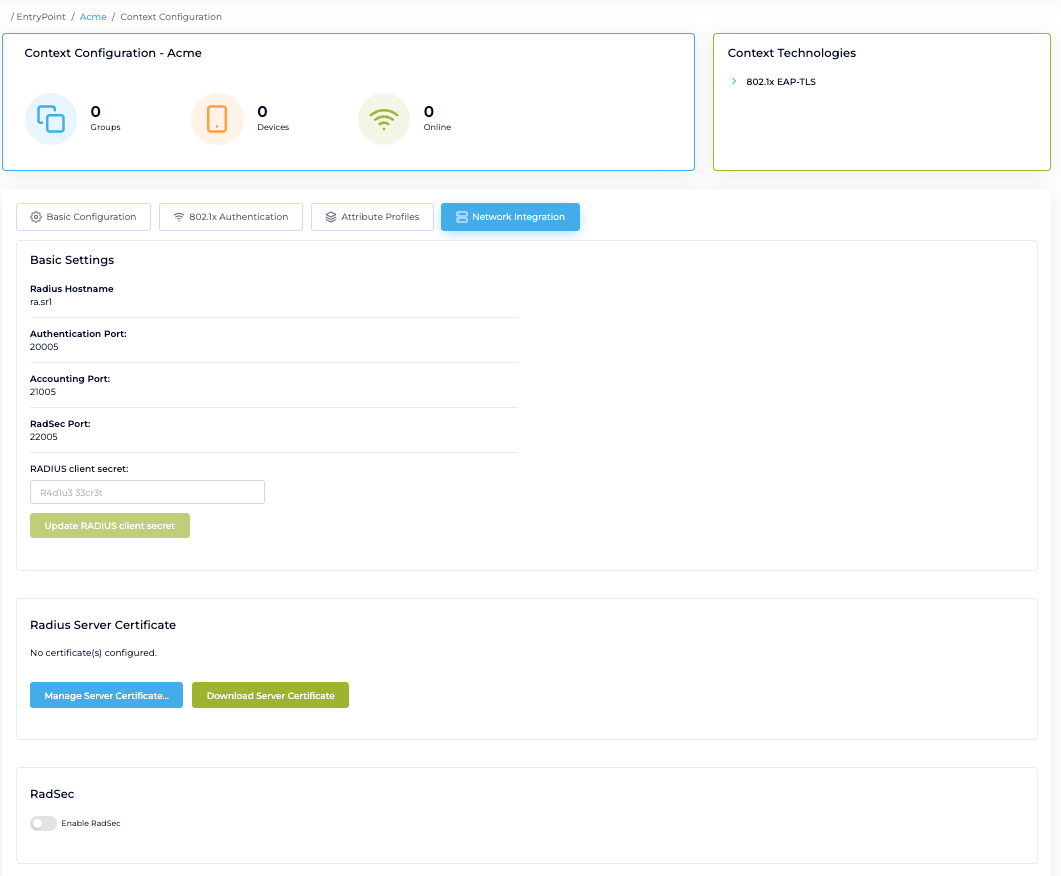
Configure RADIUS Client Secret #
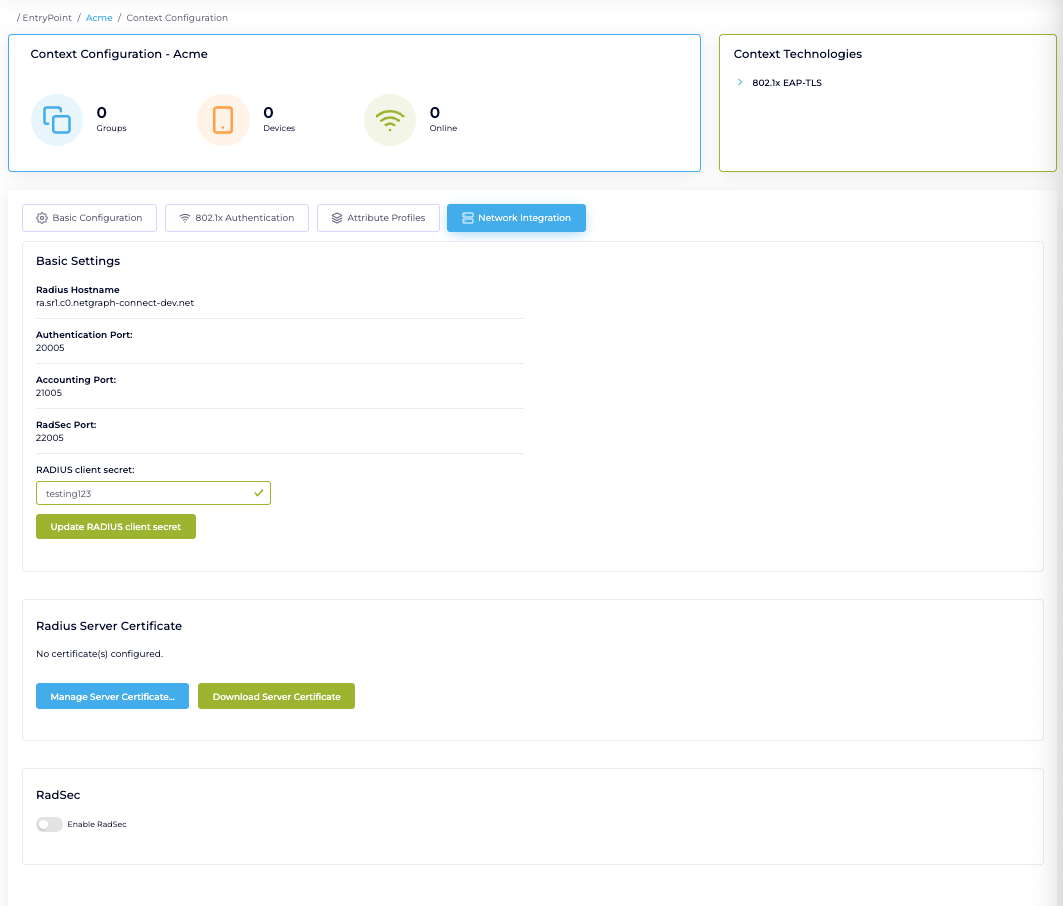
Upload a RADIUS Server Certificate. Click on “RADIUS Service” followed by “Server Certificate”. Click “Change certificate” on both Certificate and Private Key and paste your RADIUS Server Certificate and key in PEM format. #
If your cert is in DER format you can convert it with OpenSSL to PEM:
Linux/Mac: openssl x509 -inform der -in <name>.cer -out <name>.pem
Windows: certutil.exe -encode <name>.cer <name>.pem
If you don’t have your own cert you can use our built in certificate
… And in that case, if you need to convert PEM to DER format, example below:
Linux/Mac: openssl x509 -outform der –in <name>.pem -out <name>.crt
Windows: certutil.exe -decode <name>.pem <name>.crt
 #
#
RadSec (Optional). “Enable RadSec” and Upload you infrastructure certificate. If you dont already have your RADIUS Server Certificate, download it on the “Download Server Certificate” button. You need it when setting up your Infrastructure. Configure RadSec in your infrastructure (Cisco Meraki example here).
