
Overview #
To issue client certificates to managed devices, your environment must include both a Root Certificate Authority (Root CA) and an Issuing Certificate Authority (Issuing CA). The Root CA serves as the trust anchor, while the Issuing CA performs the operational task of issuing certificates to devices. If you already maintain a PKI (either on-premises or cloud-based), you may reuse your existing Root and Issuing CA infrastructure. The setup below provides a brief example of how this can be achieved using Microsoft Cloud PKI
Note: Modifications to the Microsoft environment should be undertaken only by personnel with appropriate technical expertise to ensure a correct configuration and to mitigate the risk of unintended operational impacts.
Getting started #
To access the Microsoft Cloud PKI admin console, go to “Tenant administration’ -> “Cloud PKI” in the Microsoft Intune admin center.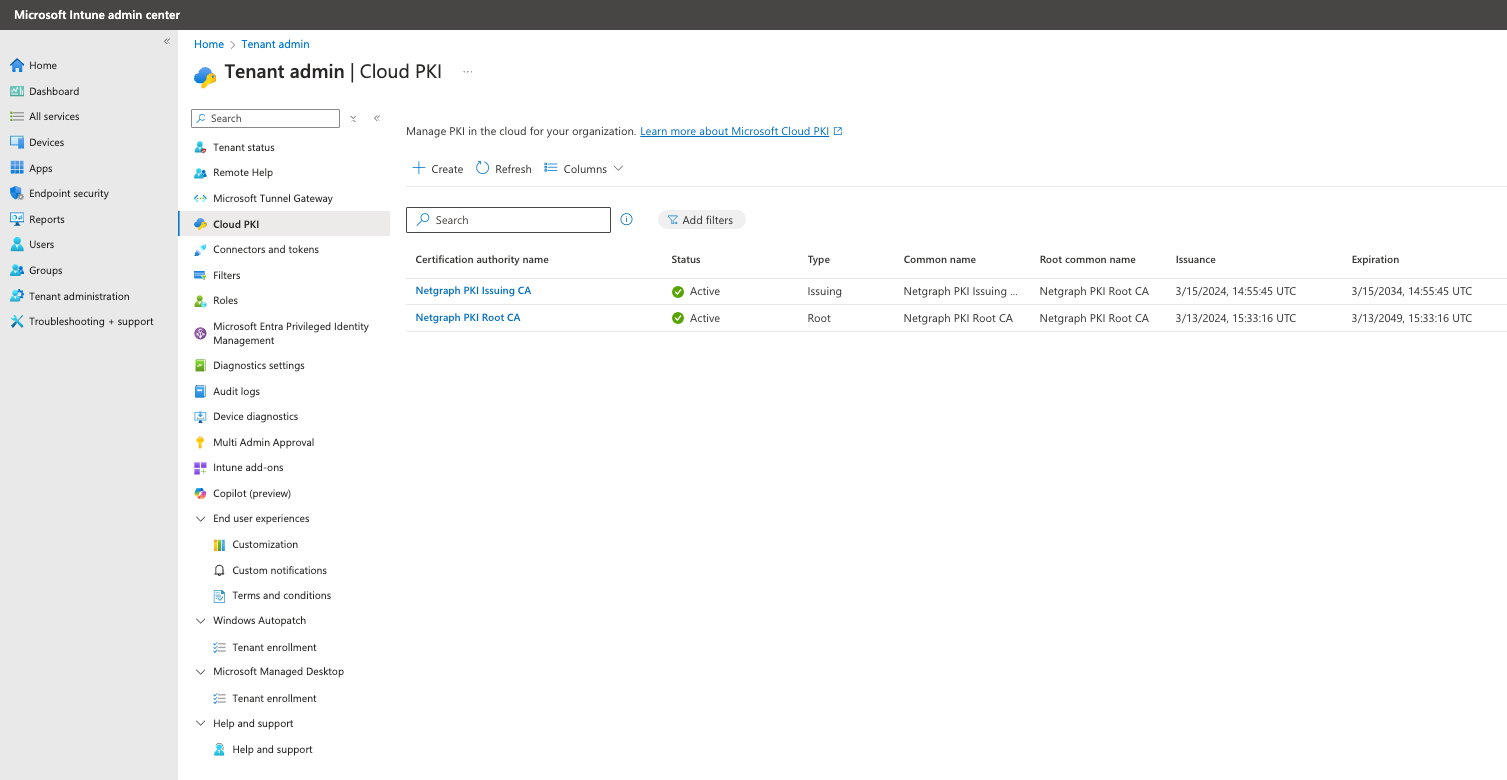
#
Example of a Root CA in Intune admin center. #
Example of a created root CA below. To create a Microsoft Cloud PKI Root + Issuing CA, follow the Microsoft guide. When done, Download the certificate on the “Download certificate“-button.. you will need it later in the Netgraph Entrypoint setup.

#
Example of a Issuing CA in Intune admin center #
Example of a created issuing CA below. This issuing CA issue certificates for Intune-managed devices. Microsoft Cloud PKI automatically provides a SCEP service that acts as a certificate registration authority. It requests certificates from the issuing CA on behalf of Intune-managed devices using a SCEP profile. To create an issuing CA, please follow this Microsoft guide. WHen done, Download the certificate on the “Download certificate“-button and copy both the “CRL distribution point” URI and the “SCEP URI“.. you will need it later in the Netgraph Entrypoint setup.
