
Delegate ISE Endpoint Management #
Netgraph ISE Device Management allows you to securely distribute the administration of endpoints to internal administrators or third-party suppliers using the Netgraph Self-Service portal. Follow these simple steps to enable delegation:
Step 1: Connect an Endpoint Identity Group #
Before delegating administrative responsibilities, the selected Endpoint Identity Group must be connected to the Netgraph platform.
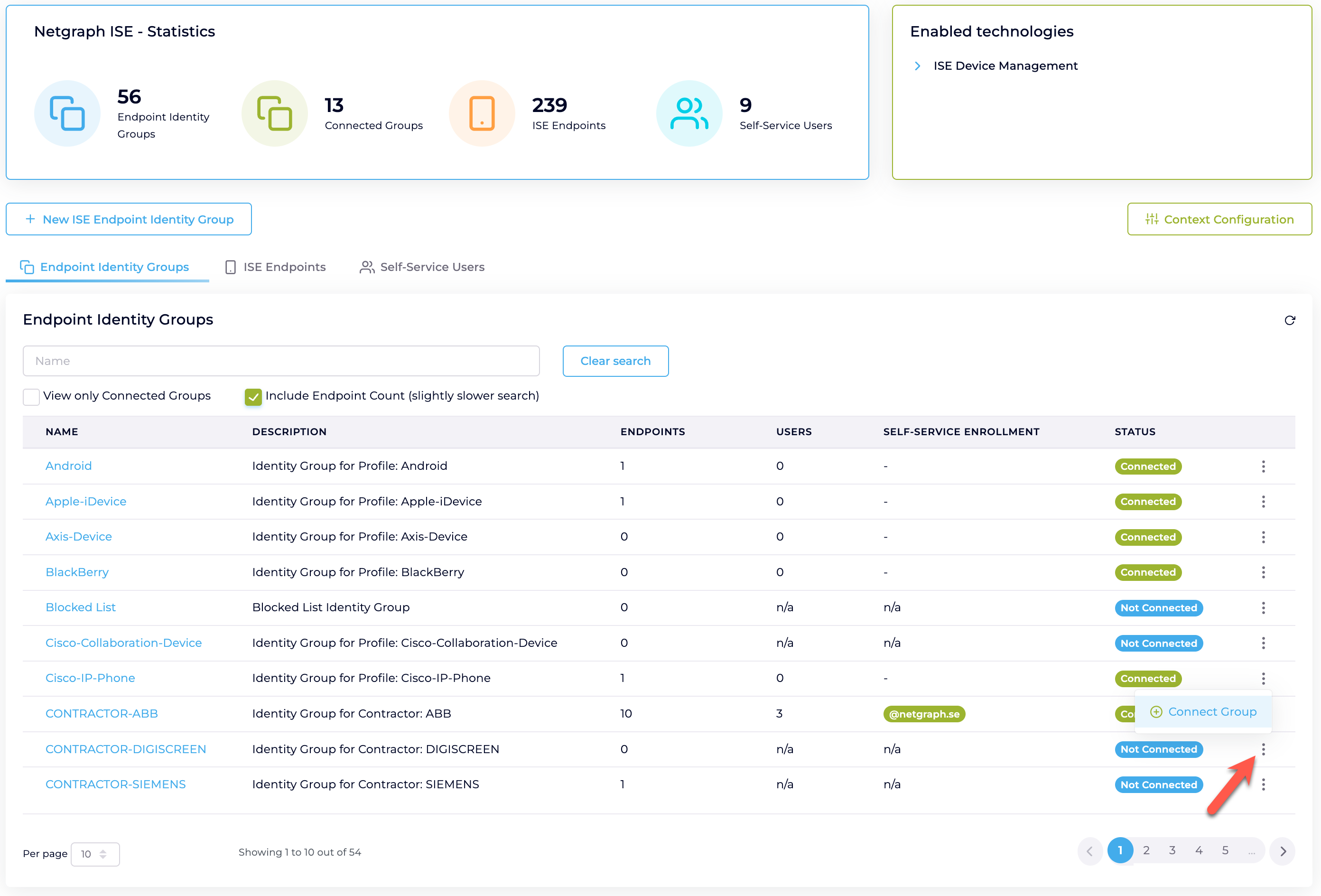
-
Navigate to ISE Device Management Service → [Your Context].
-
Locate the desired Endpoint Identity Group in the list.
-
Click on the three-dot menu (⋮) next to the group’s status and select Connect Group.
Once connected, the group’s status will change from “Not Connected” to “Connected”, indicating that Netgraph functionality is now available for the group.
Step 2: Delegate Responsibility via Self-Service Portal #
After connecting an Endpoint Identity Group, you can delegate endpoint management responsibilities to specific users by inviting them to the self-service portal.

-
Navigate to ISE Module → Endpoint Identity Groups → [Your Group] → Self-Service Users.
-
Click “Add Self-Service User”.
-
Enter the email address of the user you wish to invite.
-
Assign appropriate permissions:
-
User (default): Allows viewing, adding, updating, and removing devices within the assigned Endpoint Identity Group.
-
Group Administrator: In addition to endpoint management, this permission allows management of Self-Service Users for the assigned group.
-
-
Choose whether to send an email invitation immediately by enabling “Send email invite?”.
-
Click “Add Self-Service User” to complete the delegation.
Invited users will receive an email with access instructions to the self-service portal, allowing them to manage endpoints within their assigned groups securely.
Managing Self-Service Users #
You can easily review and update Self-Service User permissions at any time from the Self-Service Users tab. Simply edit or remove users as needed to ensure that your administrative delegations are up-to-date and secure.